Proactive AI: How to Build Products That Act

Cicero Campelo, CISSP
July 13, 2026 · 8 min read
Part of our guide to AI for startups.
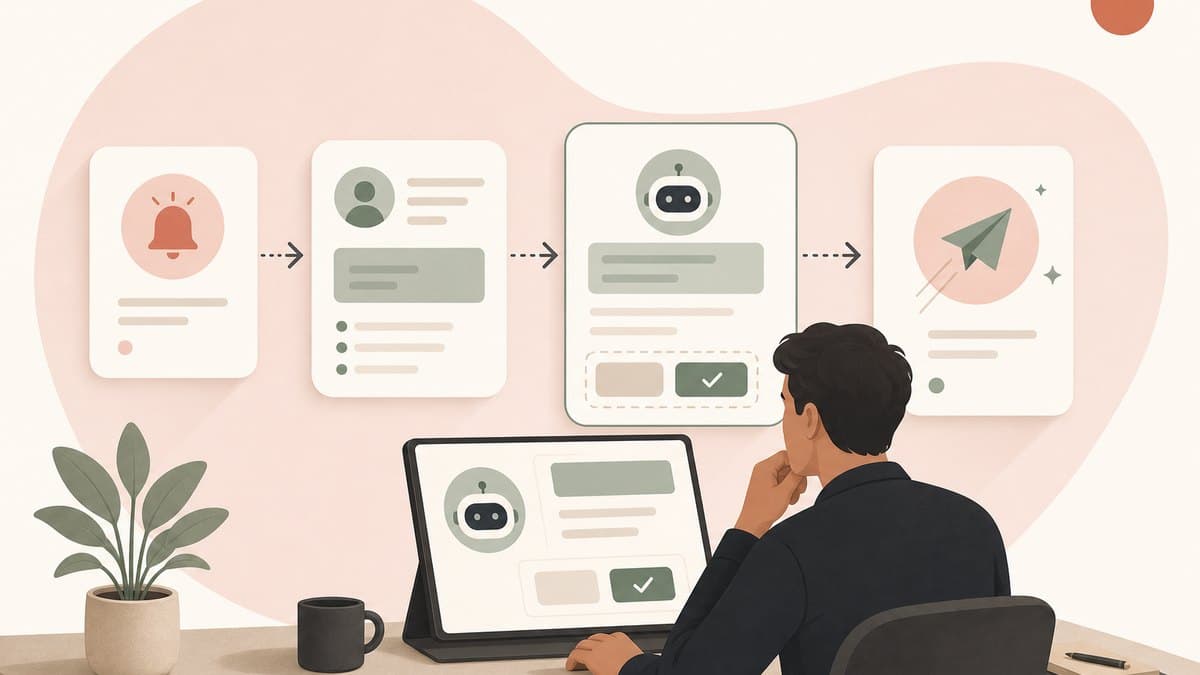
Table of contents
Most AI products wait. A user opens a chat, writes a prompt, and asks the model to do something. Proactive AI changes that sequence: the product notices a relevant event, starts a bounded piece of work, and brings the user either a useful result or a decision that needs approval.
That does not mean giving an agent unlimited access and hoping it behaves. The product advantage comes from acting at the right moment. The trust comes from making the trigger, permission, and consequence clear. In consumer AI that timing judgment is most of the differentiation, because the underlying capability is available to every competitor at the same price.
In a short Sequoia Capital interview, Logan Kilpatrick described the connective architecture behind Google's agentic shift. He said Gemini created a through line across the company's products, and Antigravity is becoming another shared layer as those products are rebuilt to take action on users' behalf. The clip does not spell out the product rules for proactive behavior. That is the founder question this article develops.
What proactive AI actually means
A proactive AI product needs four parts working together:
- A trigger. Something observable changes: a deadline approaches, an account stalls, a deployment fails, or a customer asks the same question twice.
- Relevant context. The system can see the data needed to understand that event, and only the data it is allowed to use.
- Bounded judgment. A model or rule decides whether this is the right moment to help and what the next step should be.
- A controlled action. The product recommends, drafts, asks for approval, or acts inside a limit the user already set.
This separates proactive AI from two nearby ideas. A reactive assistant can use tools and complete a long workflow, but it still waits for the user to start. A scheduled automation can run first, but it follows a fixed rule without interpreting the situation. Proactive AI combines initiative with contextual judgment and a controlled way to act.
The useful question for a founder is not whether the product has an agent. It is whether the product knows when to start a job, why that moment matters, and how far it is allowed to go.
Google's shift shows where products are going
Kilpatrick's description of Google's transition is a product architecture lesson. Before Gemini, he said, Google's many products did not share one common through line. Gemini became that through line. Antigravity, which he described as an agent harness, is now supplying another as products are rebuilt to become agentic native and take action on behalf of users.
Google used similar language at I/O 2026, describing a shift from prompts to action and expanding Antigravity as an agent-first platform. The interesting part for a startup is not the size of Google's stack. It is the decision to give many separate products the same action layer.
Your version can be much smaller. A startup needs a common path from event to context to decision to tool call to audit log. Without that path, proactive features tend to become one-off automations. With it, each new workflow can reuse the same permissions, approvals, observability, and recovery controls.
Choose a job where being early matters
Proactivity is valuable only when timing changes the outcome. If a user gets the same value by opening the product tomorrow and asking a question, you probably need a better assistant, not a proactive one.
Look for a first workflow with five properties:
- The trigger is observable without guessing what the user feels.
- Waiting creates a real cost, delay, or missed opportunity.
- The next job is narrow enough to describe in one sentence.
- The first result is reversible or easy to review.
- Success is visible in the product's own data.
Consider a support product. A weak first version watches every conversation and sends messages on its own. A stronger version detects that a specific ticket has stalled, gathers the relevant history, drafts the next response, and asks the support lead to approve it. The AI earns the right to do more only after the team sees that it chooses the right moments and produces useful drafts. The same rule scales to an entire business: an AI co-founder like Gusto's Cofounder starts an operational job such as a payroll run on its own, then stops for the owner's approval before anything submits.
This is also a product-management problem. If AI for product managers is about deciding what should be built, proactive AI adds two harder questions: when should the product start work, and what consequence can it create without asking first?
Build the permission ladder before autonomy
Do not ship proactive AI as a binary choice between off and autonomous. Give each workflow a permission ladder:
- Observe: detect the event and show what the system noticed.
- Suggest: recommend a next step, but leave the work to the user.
- Draft: prepare the artifact while the user reviews and executes it.
- Act with confirmation: show the plan and wait for explicit approval.
- Act within limits: execute automatically only inside a narrow, pre-approved scope.
Start most workflows at suggest or draft. Move upward based on evidence from that exact job, not because the model improved in general. Trust does not transfer cleanly from summarizing a call to sending an email, issuing a refund, or changing access.
Google's own description of Gemini Spark makes the same control boundary visible: users choose to turn it on, and it is designed to check with them before major actions. That wording matters. A proactive product can operate autonomously while still remaining under the user's direction.
Permissions should be specific to the action and the data. Reading a calendar does not imply permission to send invitations. Drafting an invoice does not imply permission to move money. From a security perspective, every new tool expands the blast radius, so give the agent the smallest scope that completes the job and keep sensitive actions behind a fresh approval.
The interface is a control plane, not just a chat
Once the product initiates work, the user needs a place to understand and govern it. A chat window alone is not enough. The interface should answer six questions before an action runs:
- Why did the product start now?
- What evidence did it use?
- What is it planning to do?
- Which systems and people will be affected?
- What needs approval?
- How can the user stop or undo it?
That usually means an activity queue, plain-language action previews, scoped approval controls, an audit trail, and a visible kill switch. For reversible actions, put undo next to the result. For irreversible actions, require confirmation before execution.
This control plane is part of the value proposition. The product should make delegation easy to evaluate by exposing its reasoning and keeping its authority predictable. Hidden autonomy makes consequences harder to predict. Visible, bounded autonomy lets the user review and steer the work.
Measure useful initiative, not activity
A proactive product can look busy while making the user's day worse. More notifications, drafts, or agent runs are not success. Measure whether the product chose the right moment and reduced work without creating new risk.
Useful workflow metrics include:
- Suggestion acceptance: how often users accept or meaningfully edit the proposed action.
- Time to useful result: how long it takes from the trigger to a reviewable artifact or completed outcome.
- Interruption precision: how often users dismiss the event because the timing or reason was wrong.
- Approval completion: whether approved actions execute correctly and report the result.
- Override and rollback: how often users stop or reverse what the agent did.
- Escaped actions: any action that exceeded its permission, budget, or intended recipient.
Review these per workflow and per risk level. A system can be excellent at drafting internal notes and unsafe at sending external messages. One blended score hides the difference.
What to do this week
- Pick one repeated event in your product where acting an hour earlier would materially help the user.
- Write the first workflow as five lines: trigger, context, decision, action, and success signal.
- Launch at suggest or draft, even if the agent is technically capable of executing the action.
- Add an action preview, audit log, undo path, and kill switch before expanding permissions.
- Review every dismissed suggestion and every edited draft. Those are product data about timing and judgment, not just model failures.
The best proactive AI does not feel like a system taking control. It feels like useful work arriving at the right moment, with the founder still able to see, approve, and steer it. This control loop is one part of the broader AI for startups founder guide and the AI Operating System for Startups.
Sources
- Google's agentic shift with Logan Kilpatrick (Sequoia Capital), the short interview this article distills.
- Google I/O 2026 developer highlights, on the move from prompts to action, Antigravity, and the shared agent harness.
- Google's I/O 2026 announcement index, on Gemini Spark operating under user direction and checking before major actions.
- Logan Kilpatrick's official Google author profile and LinkedIn profile, used to confirm identity and affiliation.
Frequently asked questions
What is proactive AI?
Proactive AI is software that can start useful work when a relevant event happens, instead of waiting for a user to write a prompt. It combines a trigger, the context needed to understand that trigger, judgment about what should happen next, and a bounded action. A proactive product might notice that onboarding has stalled, prepare a tailored follow-up, and ask an account manager to approve it. The important part is not unrestricted autonomy. It is useful initiative within permissions the user understands and controls.
What is the difference between proactive AI and agentic AI?
Agentic AI describes a system that can reason through steps, use tools, and take actions toward a goal. Proactive AI describes when that work begins: the product can initiate it from an event, schedule, or change in context rather than waiting for a prompt. A product can be agentic but reactive if the user must start every run. It can also be proactive but simple if a rule starts a narrow workflow. Products can combine both by using contextual triggers to start bounded agentic work under clear user control.
What are good examples of proactive AI for a startup?
Good early examples have an observable trigger, a narrow job, and a reversible result. A support product can detect a stalled ticket and draft the next response. An onboarding product can notice an incomplete setup and prepare a checklist for the account owner. A finance product can surface an unusual invoice and gather the evidence for review. A developer tool can detect a failed deployment and prepare a diagnosis. In each case, the AI arrives with useful work already done, but a human keeps control of any expensive or external action.
How do you make proactive AI safe?
Start with the least authority the workflow needs. Let the product observe, then suggest, then draft, then act with confirmation, and only later act automatically inside a narrow limit. Separate read permissions from write permissions, show the evidence and planned consequence before approval, log every action, make reversible actions easy to undo, and provide a kill switch. High-impact actions such as sending external messages, moving money, changing access, or deleting data should require explicit approval until the system has earned trust in that exact workflow.
Build your AI Operating System
A practical course to grow with AI, build internal tools, and operate safely. Join the waitlist and you'll be first in when the course opens.