Generative UI: What Founders Need to Know

Cicero Campelo, CISSP
July 14, 2026 · 9 min read
Part of our guide to AI for startups.
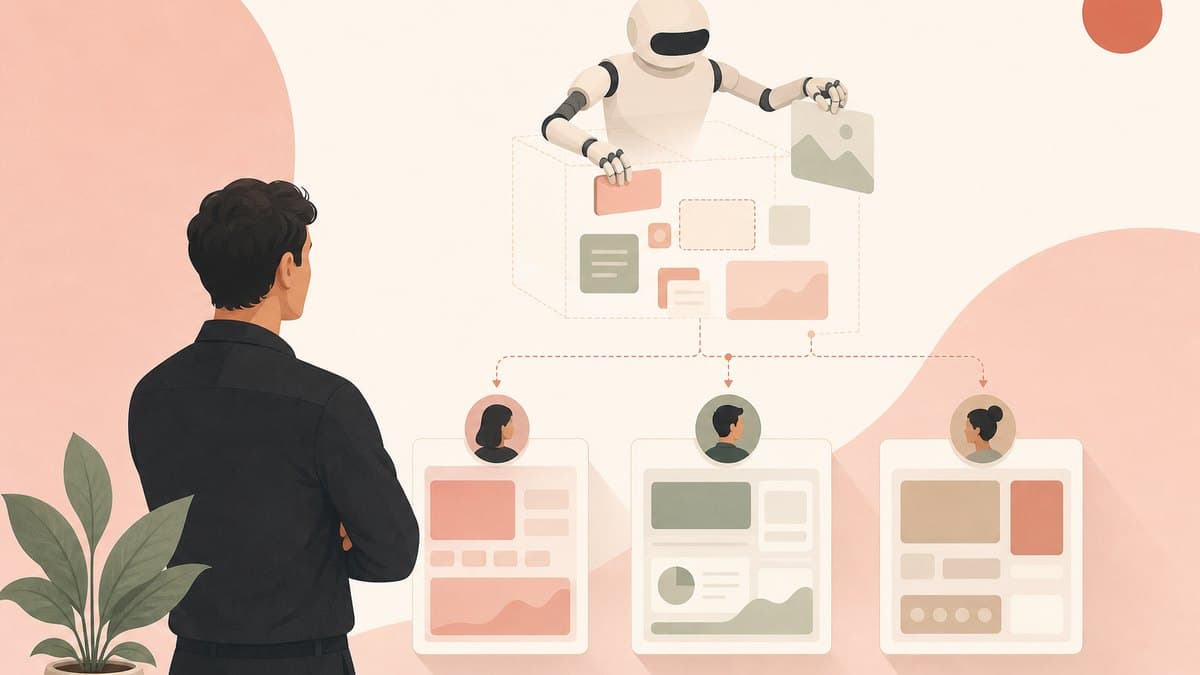
Table of contents
Most software looks the same for everyone. You and a college student open the same email client and see the same inbox, the same buttons, the same layout, even though you use email in completely different ways. That sameness was a constraint, not a choice. Building a custom interface for every user was too expensive, so companies shipped one interface and made everyone adapt to it.
Generative UI is the idea that this constraint is lifting. Instead of one fixed interface, an AI builds the interface around the person using it, in real time, shaped by their intent and context. In a short Y Combinator talk on dynamic software interfaces, the argument is that coding agents have finally gotten good enough for users to become their own forward-deployed engineers, reshaping the software they use instead of accepting whatever shipped. This article breaks down what generative UI actually is, who is building it, and what it means for how you design and ship a product.
What generative UI actually means
The Nielsen Norman Group, the UX research firm behind an influential definition of the term, describes generative UI as an interface generated in real time by AI to fit an individual user's needs and context. The key word is generated. A static interface is drawn once by a designer and shown to millions of people. A generative interface is assembled on demand for one person, then changes as their goals change.
That is a bigger shift than personalization. Personalization reorders a fixed set of components: it moves your most-used button to the top or hides a menu you never open. Generative UI can decide which components exist at all for this task, for this user, right now. One person's view of an app might look like a task list. Another person's view of the same app might look like a calendar. Same underlying data, different generated surface.
For a founder, the mental model shifts from designing screens to designing a system that produces screens. You define the components, the data, and the constraints. The AI assembles the actual interface at runtime.
Why one-size-fits-all software is ending
The Y Combinator talk frames the change through a familiar enterprise pattern. Big software vendors send forward-deployed engineers, embedded engineers who sit with a customer and customize the product for that specific account. It works, but it is expensive, so only large customers get it. Everyone else uses the generic product. We broke down the economics of that role, and what it costs per customer, in the founder's guide to the forward deployed engineer.
The claim behind generative UI is that coding agents now let every user become their own forward-deployed engineer. If an agent can modify the software you consume as fast as you can describe what you want, the economics of custom software flip. Customization stops being a service reserved for enterprise accounts and becomes a default the product ships with.
This lines up with what other builders are seeing. On the a16z podcast, Benedict Evans argued that the next phase of AI will be a co-evolution of AI-native software and new kinds of interfaces, found through experimentation rather than designed up front. In Y Combinator's Software for Agents discussion, the point is that most of today's software was built for humans to click through, which makes it slow and brittle when an AI agent is the one operating it. Both point at the same conclusion: the fixed, human-drawn interface is becoming the bottleneck.
Two kinds of generative UI
The term covers two related but different ideas, and conflating them is the fastest way to make a bad build decision.
The first is AI that writes UI code. You describe what you want and the model generates the React, Tailwind, and component code for it. Vercel's v0, launched in 2023, is the best-known example: a prompt turns into working front-end code a developer can ship. This is closer to what people call vibe coding. It speeds up how a team builds an interface, but the output is still a fixed interface that gets deployed.
The second is AI that assembles the interface at runtime, per user, per session. The model does not hand you code to ship later. It decides, live, which components to show and what data to put in them while the user is working. Nielsen Norman Group draws roughly this line by separating generative UI, where the AI generates the experience for the end user, from AI-assisted design that just helps a designer work faster (for that side of the split, see how AI is reshaping the designer's own workflow). The second kind is the deeper change, and it is where the newer infrastructure is aimed.
If you are building, decide which one you actually need. Generating code faster is a productivity win for your team. Generating the interface live for each user is a product architecture decision that touches your data model, your security boundary, and your whole delivery pipeline.
Who is building generative UI right now
A small stack of tools has formed around runtime generative UI, and it is worth knowing the players before you build:
- Vercel ships both sides. v0 generates UI code from prompts, and the Vercel AI SDK streams live React components straight from a model's tool calls, so an agent can render an interactive element instead of a wall of text.
- CopilotKit offers an open-source framework for putting generative UI inside an app, built around a protocol that sits between the agent and the front end and turns agent output into interactive components rather than plain messages. Its docs walk through a spectrum of control, from letting the AI pick a pre-built component to letting it assemble a layout.
- Google has formalized the pattern with a guide to generative UI and an open toolkit for letting a model generate interface elements across a trust boundary in a controlled way.
- Thesys built C1, an API and React SDK that streams interactive UI components to the client in place of markdown, so an agent's response can arrive as a working interface.
Notice the shared idea under most of these: the model does not emit raw HTML. It chooses from a library of components the developer already approved, then fills them with data. That single design choice is what makes runtime generative UI safe enough to ship, which is the next thing to understand.
What it changes about how you ship software
Runtime generative UI does not just change the front end. It reaches back into how software is delivered. The Y Combinator talk goes as far as arguing that the whole stack of software delivery has to be rethought: developers may need to ship source code and modifiable primitives rather than sealed, packaged binaries, so users and their agents can actually reshape the product.
You can already see early versions of that idea. In Y Combinator's discussion of self-improving companies, the pattern is internal teams generating their own dashboards and tools on demand, then regenerating them when needs change, instead of filing a ticket and waiting. The software stops being a finished artifact and becomes a set of primitives that get assembled and reassembled.
For a founder, the practical translation is a set of questions. What are the smallest reusable components in your product? What data can each one safely touch? How much of the final interface are you willing to let an agent assemble, and where do you draw the hard line it cannot cross? Answer those and you have the skeleton of a generative UI product. Skip them and you have a chat box bolted onto a static app, which is the failure mode behind most conversational UI that nobody uses. This is the same discipline behind an AI app builder: the scarce skill becomes knowing what to build and judging whether the result is right, not writing the markup.
The security and consistency trap
This is where the security habit earns its keep. A generative interface means something new is deciding, at runtime, what the user sees and what actions are available. That is a real attack surface, and it is easy to get wrong.
The safe pattern that the serious tools converged on is a controlled component registry. The model never writes arbitrary markup into your page, because a model that can emit raw HTML is a cross-site scripting incident waiting to happen. Instead it selects from components you built and vetted, and it passes data into their parameters. You get flexibility in what gets assembled without handing a language model a direct line into the DOM.
The same discipline applies to actions and data. Every component the AI can render should carry the least authority it needs. A generated view that shows account data should not also be able to change billing. Treat the set of components and tools the model can reach as a permission boundary, and keep sensitive actions behind an explicit approval, the same control loop that matters for any proactive AI product. Generative UI multiplies how many interface states can exist, so the states a user should never reach have to be impossible by construction, not merely unlikely.
What to do this week
- Decide which generative UI you mean: generating UI code faster for your team, or generating the interface live for each user. They are different projects with different risks.
- Inventory your product's core components and the data each one touches. That library is the foundation any runtime generative UI would assemble from.
- Prototype one narrow surface where a generated interface clearly beats a fixed one, like a report or dashboard that every user wants shaped differently.
- Draw the permission boundary first. List the components and actions an AI is allowed to assemble, and the ones it must never touch, before you wire up a single model call.
- Pick one tool to learn hands-on. Vercel's AI SDK, CopilotKit, or Thesys will teach you more in an afternoon than a week of reading.
Generative UI is not a skin on top of the same old app. It is a move from shipping one fixed interface to shipping a system that builds the right interface for each person, which changes your components, your delivery, and your security model at once. Getting there is part of the broader AI for startups founder guide and the operating system this course teaches, AI Operating System for Startups.
Sources
- Dynamic Software Interfaces (Y Combinator), the talk this article distills, on users becoming their own forward-deployed engineers and rethinking software delivery.
- Generative UI and Outcome-Oriented Design (Nielsen Norman Group), for the definition and the outcome-oriented versus tool-oriented distinction.
- Announcing v0: Generative UI and the Vercel AI SDK generative UI docs, on code generation and streaming live components.
- CopilotKit's generative UI overview, Google Cloud's generative UI guide, and Thesys C1, on runtime component-based interfaces.
- Cross-source context from Benedict Evans on the a16z podcast (co-evolution of AI-native software and interfaces), Y Combinator's Software for Agents (why human-drawn interfaces are brittle for agents), and Y Combinator on self-improving companies (on-demand internal tools).
Frequently asked questions
What is generative UI?
Generative UI is an interface that an AI builds in real time to fit one user's needs and context, instead of a single fixed interface that everyone sees. The Nielsen Norman Group, whose definition of the term is widely cited, describes it as an interface generated on demand rather than drawn once by a designer and shipped to millions. In practice a model decides which components to show and what data to put in them while the user is working, so one person's view of an app might look like a task list while another's looks like a calendar, drawn from the same underlying data.
What is the difference between generative UI and a tool like Vercel v0?
They are two different ideas that share the name. A tool like Vercel v0 generates UI code: you describe what you want and it produces React and Tailwind that a developer ships as a fixed interface. Runtime generative UI instead assembles the interface live, per user and per session, with a model choosing components and data while the app runs. The first speeds up how your team builds one interface. The second is a product architecture decision that changes your data model, delivery, and security boundary. Nielsen Norman Group draws a similar line between generative UI that generates the experience for end users and AI-assisted design that just helps a designer work faster.
Is generative UI secure?
It can be, if the model never writes raw markup into your page. The safe pattern the serious tools converged on is a controlled component registry: the AI selects from components you already built and vetted and passes data into their parameters, rather than emitting arbitrary HTML, which would be a cross-site scripting risk. Combine that with least privilege, so a generated view that shows account data cannot also change billing, and keep sensitive actions behind an explicit approval. Treat the set of components and tools a model can reach as a permission boundary you design on purpose.
How should a startup start with generative UI?
Start by deciding which version you mean: generating UI code faster for your team, or generating the interface live for each user. Then inventory your product's core components and the data each one touches, because that library is what any runtime generative UI assembles from. Prototype one narrow surface where a generated interface clearly beats a fixed one, such as a report or dashboard every user wants shaped differently, and draw the permission boundary before your first model call. Learning one tool hands-on, such as the Vercel AI SDK, CopilotKit, or Thesys, will teach you more than weeks of reading.
Build your AI Operating System
A practical course to grow with AI, build internal tools, and operate safely. Join the waitlist and you'll be first in when the course opens.